Equipment maintenance is high-risk work. When multiple workers service the same machine, miscommunication can be deadly. One technician assumes power is off. Another doesn’t verify isolation. A startup during servicing leads to injury—sometimes fatal. This is where the group lockout tagout form becomes non-negotiable.
It’s not just about locking a valve or tagging a breaker. It’s about creating a shared, visible, and traceable safety protocol that holds up under pressure. The group lockout tagout form is the administrative backbone of coordinated energy control across teams. Miss a step, and compliance erodes. Get it right, and you protect people, avoid OSHA fines, and maintain operational consistency.
Here’s how to make the group lockout tagout form work effectively in real-world environments.
What Is a Group Lockout Tagout Form?
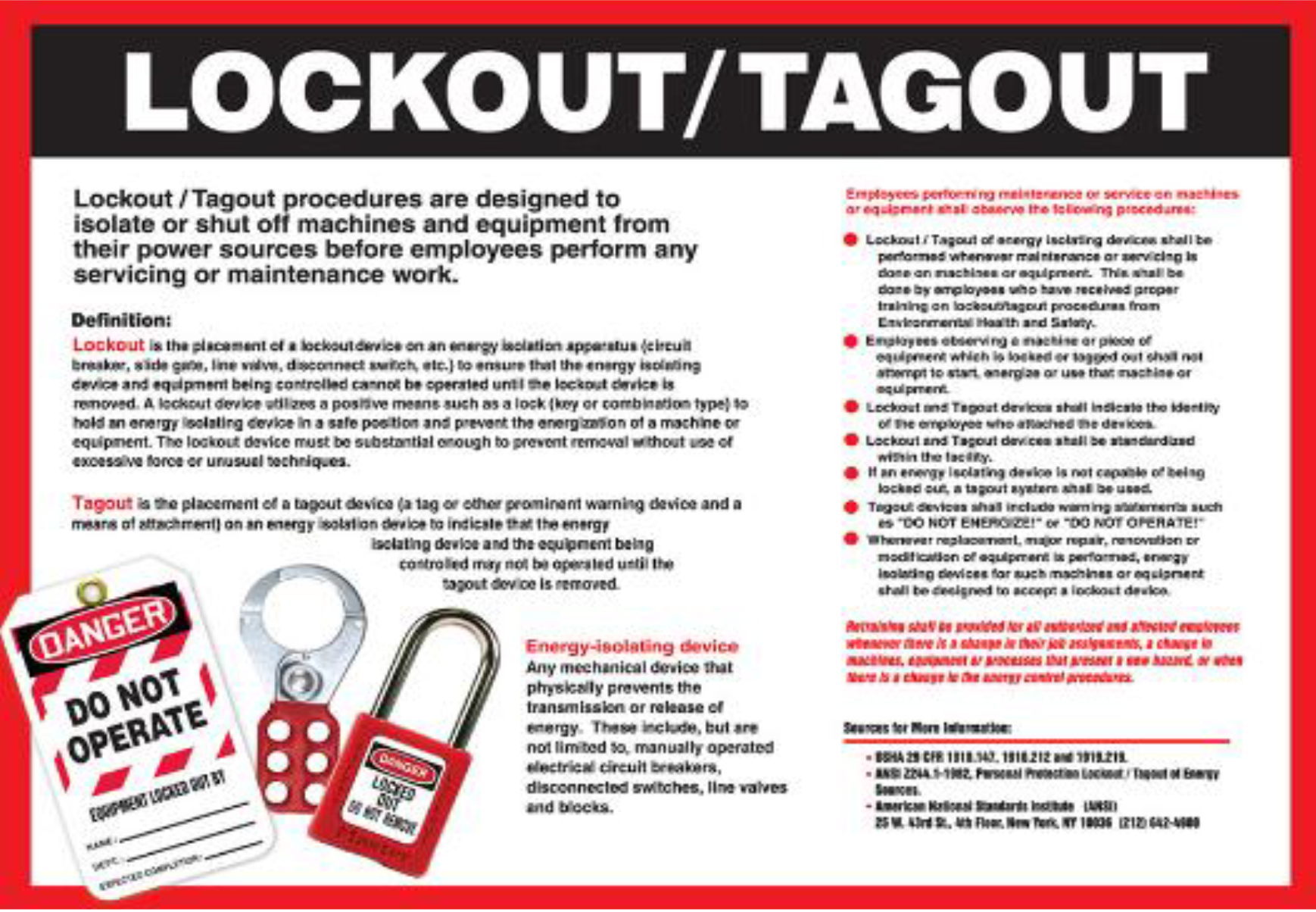
A group lockout tagout form is a documented procedure used when multiple employees are involved in servicing or maintaining a single machine or system. Unlike individual lockout applications, group lockout requires centralized coordination—each worker applies their personal lock, but control is managed through a master form that tracks who is locked out, where, and for how long.
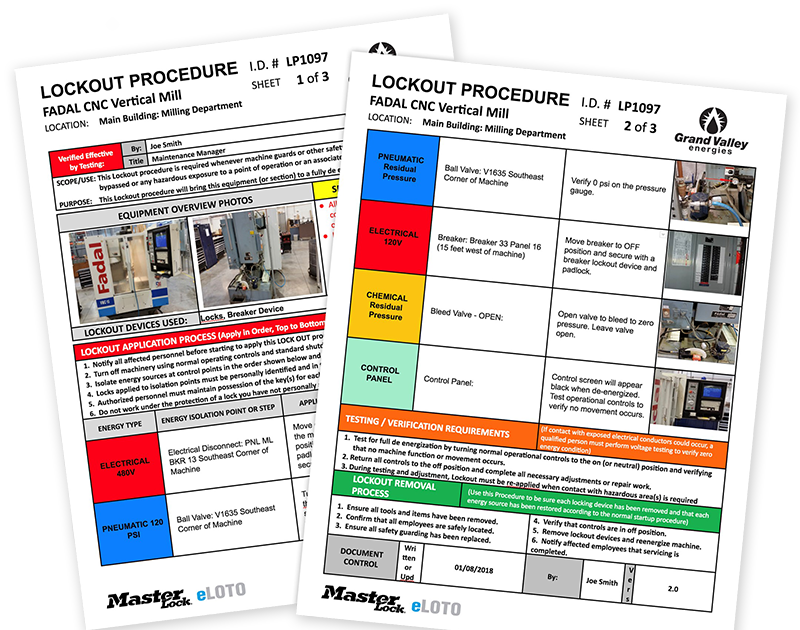
This form serves as both a communication tool and a legal record. It typically includes: - Equipment identification - Work description - Primary authorized employee (often the operations lead) - List of all affected personnel - Lock application and removal timestamps - Verification signatures - Energy source checklist
Without this form, overlapping shifts, subcontractors, or complex machinery with multiple isolation points become high-risk scenarios.
Example: In a food processing plant, a conveyor line requires cleaning and motor repair. Three technicians from maintenance, two sanitation workers, and a contractor handling electrical upgrades all need access. The group LOTO form ensures no one re-energizes the line until every lock is removed and the form is signed off.
Why Standard LOTO Falls Short in Group Settings
Traditional lockout tagout works well when one person services one machine. But modern industrial environments are rarely that simple.
Challenges with individual LOTO in group work: - No visibility across team members: Workers can’t see who else has locks applied. - Shift handovers create gaps: An evening technician may not know what locks the morning crew left behind. - Duplicate locks or missed points: Multiple people applying locks independently increases human error. - Inadequate documentation: No centralized record means audit failures and liability.
The group lockout tagout form solves these by creating a single source of truth. It centralizes accountability while preserving individual responsibility—each worker still uses their own lock and key, but the form ties everything together.
Key Components of an Effective Group LOTO Form
Not all forms are created equal. A poorly designed group lockout tagout form can become a compliance checkbox rather than a safety tool. The best versions include these elements:
#### 1. Equipment and Location Identification Clearly list the machine name, ID number, and physical location. Ambiguity here undermines the entire process. Use asset tags or QR codes for quick scanning in digital systems.
#### 2. Work Scope and Purpose Define the task: “Replace drive motor,” “Inspect hydraulic lines,” or “Clean mixing chamber.” This prevents scope creep and unauthorized access.
#### 3. Primary and Secondary Authorized Personnel Designate one lead (often from operations) responsible for initiating and terminating the lockout. Other authorized employees are listed with roles and departments.
#### 4. Individual Lock Tracking Table A table or grid where each worker logs their lock number, location applied, and name. Some forms include a visual diagram of lock points.

#### 5. Energy Source Checklist List all energy types involved: electrical, pneumatic, hydraulic, thermal, gravitational. Confirm isolation at each point.
#### 6. Shift Change Protocol Include space for outgoing and incoming leads to sign off during handovers. This is critical in 24/7 operations.
#### 7. Verification and Release Sign-Off Final check by the primary authorized employee confirming all tools removed, guards replaced, and all workers clear before re-energizing.
Common Mistake: Failing to update the form in real time. Workers remove locks but forget to initial the release section. Auditors see discrepancies. OSHA flags the site.
When to Use a Group LOTO Form
Not every maintenance task needs a group form. Use it when:
- Multiple employees work on the same system (e.g., plant turnaround)
- Work spans shifts (e.g., overnight boiler repair)
- Contractors are involved alongside in-house staff
- Complex machinery with multiple energy sources requires coordinated isolation
- Interdependent equipment means one lockout affects several units
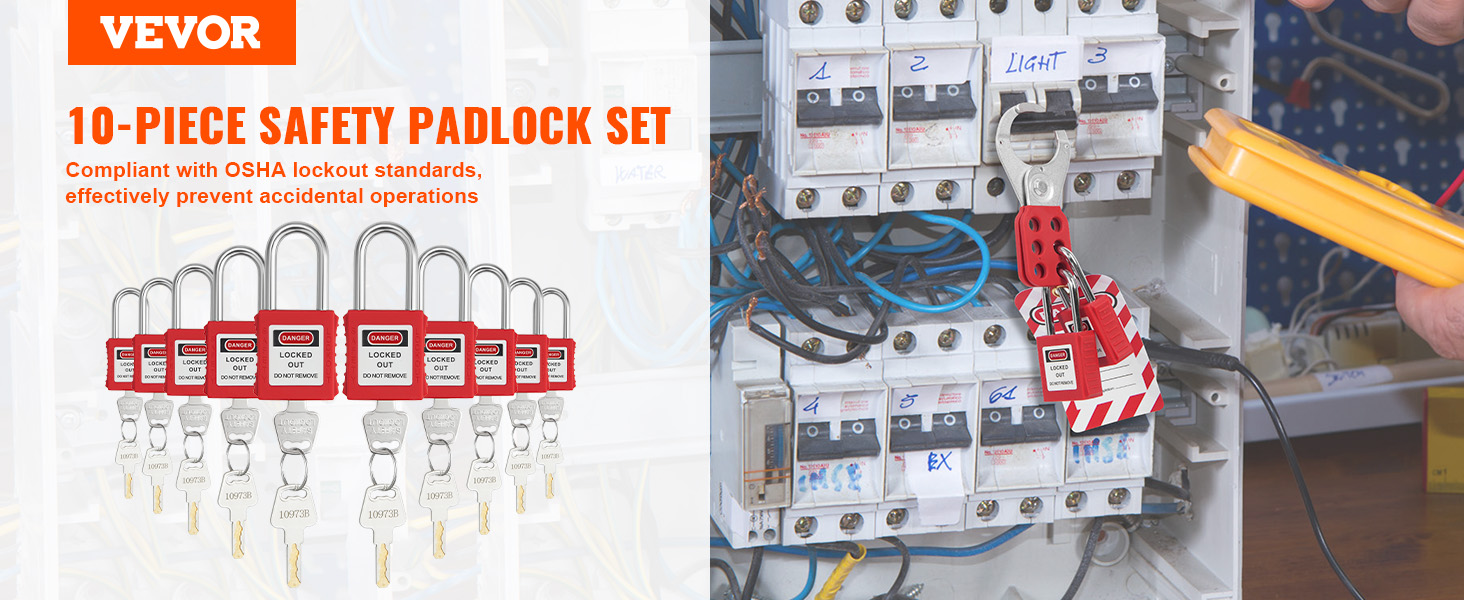
Realistic Use Case: A paper mill schedules a weekly cleanout of its pulp processing line. Six workers from three departments enter confined spaces, disconnect motors, and clean tanks. A group LOTO form is initiated by the maintenance supervisor. Each worker applies a lock to the central disconnect panel using a lockbox system. The form logs each lock, the work being done, and remains posted at the isolation point until all work is complete.
How to Implement Group Lockout Tagout Forms
Adoption is more than printing a PDF. It requires workflow integration.
#### Step 1: Identify High-Risk Systems Audit your facility. Flag machines where group work is common—conveyor systems, reactors, presses, HVAC units.
#### Step 2: Design or Select the Right Form Choose between paper-based, digital, or hybrid. Paper is simple but prone to loss. Digital forms (via tablets or LOTO software) offer real-time updates and audit trails.
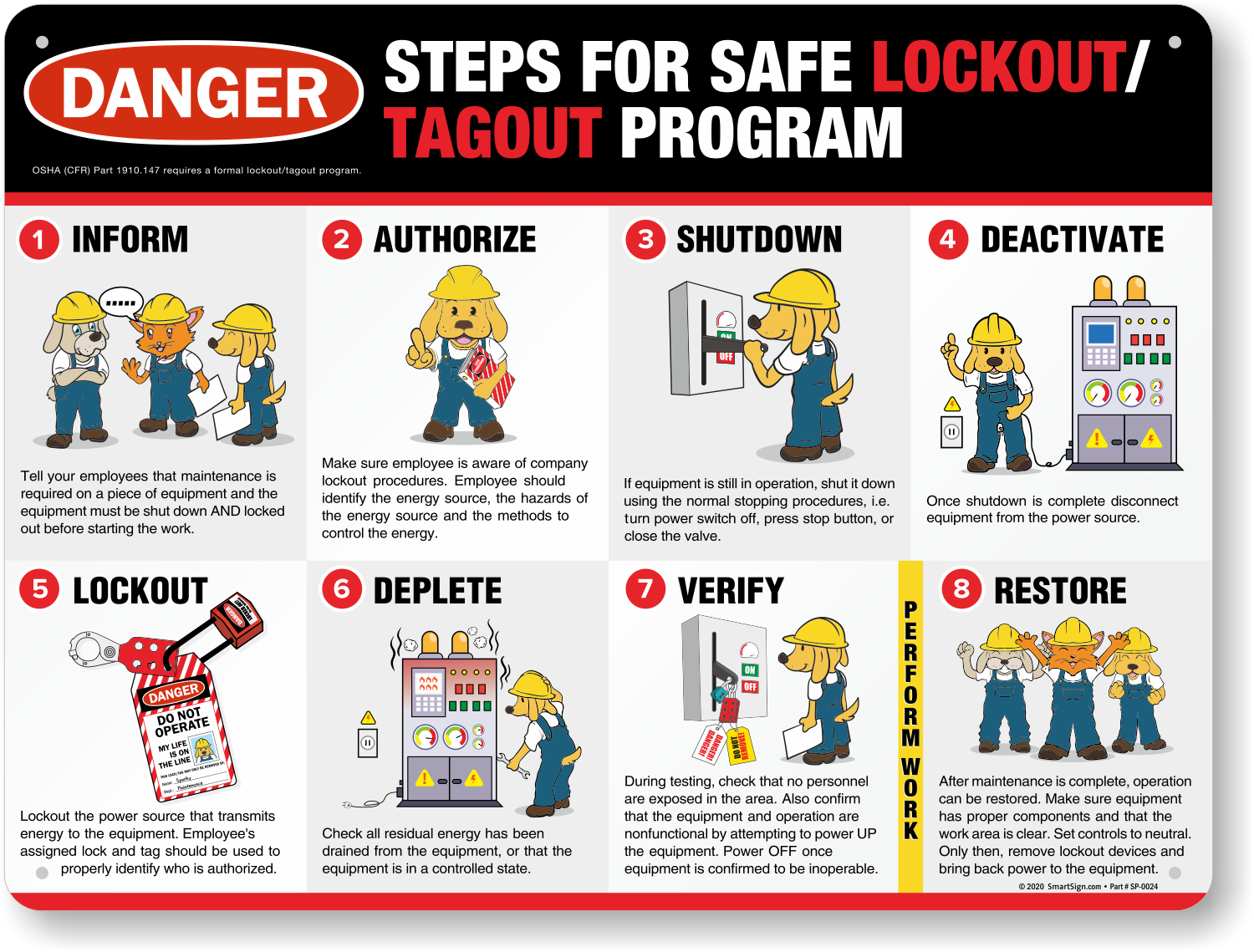
#### Step 3: Train Authorized and Affected Employees Authorized employees must understand how to initiate, maintain, and terminate group lockout. Affected employees (those who operate but don’t service) must know not to bypass tagged equipment.
#### Step 4: Integrate with Lockout Stations Place forms at lockout stations near equipment. Use color-coded folders—red for active, green for completed.
#### Step 5: Audit and Revise Review completed forms monthly. Look for missing signatures, unclear entries, or delays. Update templates accordingly.
Pro Tip: Use laminated forms with dry-erase markers in high-moisture areas where paper degrades.
Digital vs. Paper Group LOTO Forms
The shift toward digital compliance tools is accelerating. Here’s how they compare:
| Feature | Paper Forms | Digital Forms |
|---|---|---|
| Real-time updates | No | Yes |
| Audit trail | Manual | Automatic |
| Accessibility | On-site only | Cloud-based |
| Searchability | Poor | Full text search |
| Integration with LOTO software | None | Yes |
| Risk of loss or damage | High | Low |
While paper forms are acceptable under OSHA 1910.147, digital systems reduce human error and streamline reporting. They also support photo attachments—useful for verifying lock placement or damaged tags.
Limitation: Digital forms require devices, training, and IT support. In remote or hazardous areas, paper may still be more reliable.
Group Lockout Tagout Form Templates and Tools
Using a standardized template ensures consistency. Here are five practical tools that include or support group LOTO form creation:
- EHS Insight
- - Cloud-based EHS platform with customizable LOTO workflows
- - Includes digital group lockout forms with real-time collaboration
- - Mobile app for field use
- - Best for mid to large enterprises
- Lockout Tagout Pro (by Creative Safety Supply)
- - Free downloadable templates (PDF and Excel)
- - Includes group LOTO form with lock tracking grid
- - Simple, print-ready, no training required
- - Ideal for small to medium operations
- Faci LOTO System
- - Digital lockout management with form automation
- - QR code scanning for equipment-specific forms
- - Includes shift handover tracking
- - Strong for multi-site facilities
- SafetyTek
- - Mobile-first LOTO app with form builder
- - Supports group lockout with team notifications
- - Integrates with calendar and work orders
- - Great for contractors and rotating crews
- Template.net / SafetyCulture (iAuditor)
- - Pre-built group LOTO templates
- - iAuditor allows offline form completion and image uploads
- - Export to PDF or Excel for audits
- - Flexible for custom use cases
Choose based on your scale, tech readiness, and compliance needs.
Common Pitfalls and How to Avoid Them
Even well-designed systems fail when humans bypass them. Watch for these red flags:
- One person fills out the entire form – undermines individual accountability. Each worker must sign and apply their own lock.
- Forms not posted at point of isolation – workers can’t verify status. Always keep the form visible at the lockbox or disconnect.
- No procedure for emergency re-energization – have a documented override process that requires supervisor approval and full team notification.
- Using master keys to remove locks – only permitted under strict rules (e.g., employee unavailable, documented attempt to contact).
- Skipping shift交接 (handover) – leads to “orphaned” locks and confusion. Mandate shift change meetings with form review.
Insight: The strongest LOTO cultures treat the form not as paperwork, but as a ritual. It’s the first thing reviewed in the toolbox talk and the last thing signed before restart.
Final Thoughts: Make the Form a Living Document
A group lockout tagout form should never be static. It must evolve with your operations, workforce, and risk profile. Treat it like a safety contract—signed, verified, and respected.
Audit it. Train on it. Improve it.
When an incident is avoided because someone checked the form and saw a lock still in place, that’s the system working. That’s the value of structure over assumption.
Start by reviewing your current LOTO process. If multiple people work on equipment without a shared form, you’re already at risk. Implement a group lockout tagout form that’s clear, accessible, and mandatory. Your team’s safety depends on it.
FAQ
What is the difference between individual and group lockout tagout? Individual LOTO involves one authorized employee locking out a machine. Group LOTO coordinates multiple workers on the same system using a central form and often a lockbox system.
Who is responsible for the group lockout tagout form? The primary authorized employee (usually a supervisor or lead technician) initiates, maintains, and terminates the group lockout, ensuring all workers are accounted for.
Can contractors use the same group LOTO form? Yes, but they must be trained on your procedure and treated as authorized employees. Their names, lock numbers, and company details should be on the form.
Does OSHA require a group lockout tagout form? OSHA 1910.147 doesn’t mandate a specific form, but it requires procedures for group lockout, including coordination, communication, and individual lock use—best documented via a form.
How long should group LOTO forms be kept? Retain completed forms for at least one year for audit and incident investigation purposes. Some companies keep them longer based on risk.
Can a group LOTO form be digital? Yes. Digital forms are compliant if they provide equivalent control, traceability, and accessibility as paper versions.
What happens if a worker forgets to remove their lock? The primary authorized employee must verify the worker is clear and attempt to contact them. If necessary, follow a documented override procedure under supervision.
FAQ
What should you look for in Group Lockout Tagout Form: Streamline Safety Compliance? Focus on relevance, practical value, and how well the solution matches real user intent.
Is Group Lockout Tagout Form: Streamline Safety Compliance suitable for beginners? That depends on the workflow, but a clear step-by-step approach usually makes it easier to start.
How do you compare options around Group Lockout Tagout Form: Streamline Safety Compliance? Compare features, trust signals, limitations, pricing, and ease of implementation.
What mistakes should you avoid? Avoid generic choices, weak validation, and decisions based only on marketing claims.
What is the next best step? Shortlist the most relevant options, validate them quickly, and refine from real-world results.